

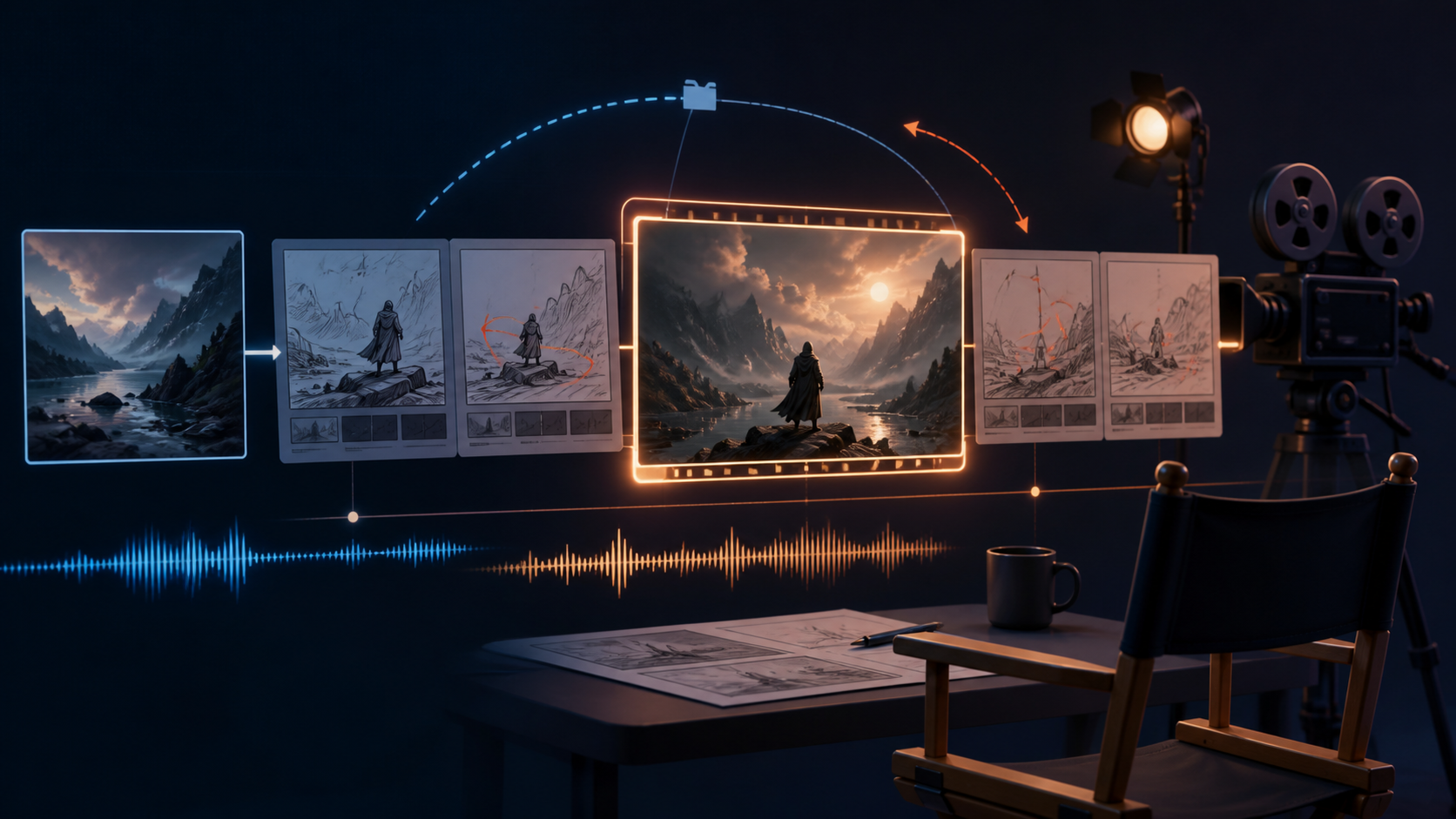
If text-to-video is best for exploration, image-to-video is best for control.
That is the easiest way to decide when to use Seedance 2.5 image-to-video. The workflow gives the model a visual anchor, which makes it easier to preserve subject identity, product form, outfit details, framing logic, and overall composition.
For creators who need more predictable results, this often beats starting from a blank prompt.
If you want to compare the two approaches before generating, start with the overview on Seedance 2.5 Model Guide and then test your own workflow in the C Dance AI Workspace with image-to-video and Seedance 2.5 selected.
When Image-to-Video Beats Text-to-Video
Use image-to-video when any of these matter:
- the face or character design must stay recognizable
- a product shape must remain consistent
- the composition already works and only needs motion
- you want to animate key art, photography, or concept frames
Text-to-video is better for invention. Image-to-video is better for preservation.
Seedance 2.5 prompt structure that holds up
Start with the visible subject, then describe the action, the environment's response, the camera, the sound, and the ending state. This order keeps the prompt tied to things the model can show or hear. It also makes revisions easier: if the face drifts, change the subject constraints; if the camera wanders, change the camera line; if the clip ends without a beat, change the final state.
Use this working template:
Subject: [who or what is visible in the opening frame]
Action: [one main action with a clear beginning and end]
Environment: [what moves, reacts, or stays still]
Camera: [shot size, movement, speed, and angle]
Audio: [dialogue, physical sound, ambience, or music]
Ending: [the final pose, frame, or transition]
Constraints: preserve [identity, product shape, text, or composition]
The template is not a magic formula. It is a checklist that prevents a common mistake: spending most of the prompt on mood words while leaving the actual motion ambiguous.
Text-to-video example: one action, one camera move
For a blank canvas, define the first frame before asking for motion. A usable prompt for a short landscape clip looks like this:
A lone cyclist waits beside a red road bicycle on a wet mountain road just before sunrise. The cyclist checks the front wheel, mounts, and rides forward through a shallow patch of water. The camera begins in a medium side profile, tracks parallel for three seconds, then makes one slow push toward the rider as the road curves left. Water sprays from the tires and settles behind the bicycle. Keep the rider's red jacket, bicycle frame, and road direction consistent. Natural tire and water sounds, no dialogue. End on the cyclist leaving the frame while the road and pale sky remain visible.
This prompt has one primary action and one camera change. If the result is too busy, remove the push-in before changing the subject description. Changing several dimensions at once makes the next generation hard to diagnose.
Image-to-video example: describe change, not the image
When a source image already contains the subject and composition, repeat only the details that must remain fixed. Use the prompt to describe what happens after frame one:
Animate the supplied product photograph. Keep the bottle label, cap, glass shape, tabletop position, and warm side lighting unchanged. A thin ribbon of condensation forms on the bottle and two droplets travel downward. The camera makes a very small clockwise arc, less than a quarter turn, while staying at the same height. Add a quiet glass tap and room ambience. End with the bottle centered and fully readable.
The phrase “keep unchanged” is useful when it names a concrete visual property. It is less useful when it becomes a long list of every pixel in the image. Choose the three to five details that matter to the shot.
Multi-shot prompts need timestamps
For a sequence with more than one beat, write a compact shot list instead of one paragraph of simultaneous actions. Give each shot a duration, framing, action, and transition:
0-3s, wide shot: a baker opens a small shop at dawn and turns on the sign.
3-6s, medium shot: flour rises as the baker kneads dough, camera locked off.
6-9s, close-up: the baker cuts a warm loaf; steam crosses the foreground.
9-12s, slow pull-back: the first customer enters, bell rings, end on the busy counter.
Keep the subject identity and location consistent across the lines. If the model invents a new room between shots, add one shared anchor such as “the same narrow bakery with blue tile and a front window.” Do not solve a continuity problem by adding more adjectives to every shot.
Audio instructions that are easy to test
Separate dialogue, physical sound, ambience, and music. Name the speaker before the exact line, and leave enough time for the line to finish. For example:
Dialogue: the woman in the yellow coat says, “The train is already here.”
Physical sound: one train brake squeal and footsteps on the platform.
Ambience: low station murmur and distant announcements.
Music: no background music.
This separation also makes an audio failure easier to classify. If speech is wrong but the movement is usable, keep the visual prompt and revise only the dialogue line. If every sound competes with the voice, remove music first.
Five common Seedance 2.5 failures
The subject moves before the shot is established
Open with a static description for the first half-second or first beat. This gives the model a visual starting point before the action begins.
The camera performs too many moves
Use one main camera move per shot. “Dolly in while orbiting, tilting, zooming, and handheld-shaking” is a request for several competing trajectories. Pick the move that supports the story and save the others for another shot.
The image-to-video result redraws the reference
State the protected details and describe only the change. Reduce motion amplitude, then remove secondary effects such as particles, reflections, or dramatic lighting changes.
Dialogue ends too late
Shorten the line, start speaking earlier, or increase the shot duration when the interface allows it. Do not add “speak faster” to an already crowded prompt; that often creates unnatural delivery.
The ending feels unfinished
Write the final state explicitly. A subject can leave frame, stop in a pose, reveal a product, or return to the opening composition. Without an ending, the model may spend the final seconds continuing the middle action.
A repeatable iteration loop
Generate a simple first pass, then change one variable at a time. First check subject identity and composition. Next check whether the main action completes. Then check the camera path, audio, and final frame. Save the best prompt beside the result and record the exact model, duration, aspect ratio, and source-image version. Those notes are more useful than a vague judgment that one generation “looked better.”
The public C Dance AI workspace lets you test the same prompt with Seedance 2.5 selected in the text-to-video route. For a reference workflow, use the Seedance 2.5 model page, open the preselected Seedance 2.5 workspace, and compare the result with our Seedance 2.0 image-to-video guide and multi-shot storyboard guide.
Seedance 2.5 prompt FAQ
Is Seedance 2.5 better with long prompts?
Longer prompts help only when each line adds a visible or audible constraint. A short prompt with one clear action is often easier to control than a long paragraph containing several unrelated events.
Should I use text-to-video or image-to-video?
Use text-to-video when you need the model to invent the scene. Use image-to-video when the first frame already has the subject, layout, product, or character design you want to preserve.
How many camera moves should one prompt contain?
Start with one main camera move per shot. Add a second move only when the shot list clearly separates the timing and the transition.
How do I keep a product readable?
Name the label, shape, position, and lighting as protected details. Keep the product movement small and end with a stable frame. Tiny text may still fail, so treat the generated clip as a draft until you inspect it at full size.
Can I prompt dialogue and music together?
Yes, but assign each one a role and volume relationship. If dialogue is the message, say that it remains intelligible and reduce or remove music during the line.
Does this guide guarantee a specific result?
No. The examples are structured starting points, not controlled benchmarks. Results depend on the source image, prompt, model version, duration, and interface settings available at generation time.
The practical rule is simple: define the frame, ask for one readable action, control the camera, and give the clip somewhere to end. Then test the next change in isolation.
That is why many commercial teams use text-to-video for ideation and image-to-video for refinement.
What Makes a Good Reference Image
Your result depends heavily on the input image quality.
The best reference images usually have:
- one clear focal subject
- readable lighting direction
- minimal clutter
- stable perspective
- enough detail to preserve important shapes
Weak reference images often create weak animation because the model is forced to guess where the motion should happen.
The Best Prompt Mindset for Image-to-Video
When users move from text-to-video to image-to-video, they often make a bad assumption: because the image already defines the scene, the motion prompt can be vague.
That is not true.
You still need to specify:
- what should move
- how much it should move
- whether the camera should move
- what should stay stable
Use this structure:
Animate the existing composition.
Primary motion: what changes first
Secondary motion: what supports the scene
Camera: static, push-in, orbit, drift, etc.
Style: realism, ad look, anime tone, cinematic mood
Constraints: what should remain unchanged
Example:
Animate the existing portrait while preserving face identity and outfit details.
Primary motion: slow head turn and natural blinking.
Secondary motion: soft wind through hair and subtle fabric movement.
Camera: very slow push-in, stable framing.
Style: luxury beauty campaign, clean color, realistic skin texture.
Constraints: keep the background composition stable and avoid face distortion.
The Three Most Reliable Motion Patterns
1. Subject-only motion
This is best for portraits, creator videos, and product scenes where the composition is already strong.
Examples:
- head turn
- blink
- breathing motion
- hand lift
- cloth movement
2. Environment-only motion
This is useful when the subject should stay mostly still but the scene needs life.
Examples:
- fog drifting
- light flicker
- rain moving
- reflections shifting
- particles floating
3. Camera-first motion
This works best when you want the image to feel cinematic without changing the actual subject very much.
Examples:
- slow push-in
- subtle orbit
- light handheld drift
- vertical rise
For beginners, the safest option is usually one primary motion plus one subtle support motion.
Common Image-to-Video Failure Patterns
Too much motion
If you ask the model to animate the subject, the background, the weather, and the camera all at once, the output often becomes unstable.
Wrong camera choice
A strong still image with balanced composition can break quickly if you force an aggressive orbit or sweeping move.
Weak constraints
If identity matters, say so. If the product shape matters, say so. If the background should stay stable, say so.
The model cannot protect a priority you never stated.
Sample Seedance 2.5 Image-to-Video Prompts
Beauty portrait animation
Animate the existing portrait while preserving face identity, makeup details, and jewelry.
Primary motion: soft blink and slight head turn.
Secondary motion: gentle hair movement.
Camera: slow push-in.
Style: premium beauty campaign, soft studio light, realistic skin texture.
Constraints: keep framing and facial proportions stable.
Product still animation
Animate the existing product image while preserving product geometry and label clarity.
Primary motion: slow rotation.
Secondary motion: moving light reflection across the surface.
Camera: macro close-up with very subtle lateral motion.
Style: premium commercial look, clean materials, sharp highlights.
Constraints: avoid product warping and keep the base composition intact.
Concept art scene animation
Animate the existing fantasy landscape concept art.
Primary motion: drifting fog and moving cloth on the central character.
Secondary motion: floating particles and soft light variation.
Camera: gentle cinematic rise.
Style: epic fantasy film tone, atmospheric depth, realistic motion timing.
Constraints: preserve composition, silhouette, and environment scale.
How to Decide Between Static Camera and Moving Camera
Use a static or nearly static camera when:
- facial detail matters
- product detail matters
- the reference composition is already strong
Use slow camera motion when:
- the image needs more depth
- you want a premium cinematic feel
- the subject is simple and stable enough to survive movement
If you are unsure, start static. It is easier to add motion later than to rescue a broken result.
Best Use Cases for C Dance AI Users
Image-to-video is especially effective for:
- product advertising
- fashion lookbooks
- beauty campaigns
- anime key art animation
- brand social content
- creator thumbnails turned into motion intros
That makes it one of the most commercially useful Seedance 2.5 workflows.
If your goal is ad creative, pair this guide with Seedance 2.0 product ad prompts.
Related Reading
- If you are still deciding when to start from scratch, compare this workflow with How to Use Seedance 2.0 for Text to Video.
- If you need better commercial hooks, combine this guide with Seedance 2.0 product ad prompts.
- If you need more generation room for reference-based testing, compare plans on Pricing.
- If you need connected beats instead of one image-led shot, continue with the Seedance 2.0 Multi-Shot Storyboard Guide.
- If your still image is already strong and you want a second model path for the same task, compare the workflow with the MiniMax H3 Image to Video Guide.
Final Take
Seedance 2.5 image-to-video works best when you use the source image as an asset, not just an input. Your job is to decide what should move, what should stay stable, and what the viewer should notice first.
The more intentional that hierarchy is, the more professional the output tends to feel.
If you already have strong still images, image-to-video is often the fastest route to cleaner AI video results. Return to C Dance AI, start in the image-to-video Workspace with Seedance 2.5 selected, keep motion narrow, protect the details that matter most, and use Pricing when you need to scale commercial testing.
FAQ
Is image-to-video better than text-to-video?
Not always. It is better when identity, layout, or object consistency matters more than invention.
What is the safest type of motion to start with?
One subtle character motion plus one small camera move is usually the safest first step.
Can I animate product photos with Seedance 2.5?
Yes. Product photos are one of the strongest image-to-video use cases because the reference image gives the model a stable anchor for shape and materials.
For a transition that must begin and finish on two planned images, use the AI video first-and-last-frame prompt workflow to audit endpoint compatibility, motion, and arrival timing.
For a tested vocabulary of pans, dollies, tracking shots, orbits, and locked shots, use the AI video camera movement prompt guide before adding more motion to this workflow.