
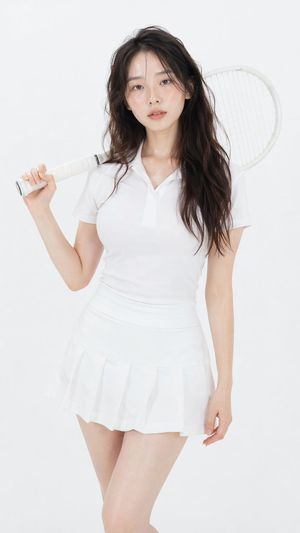
 Prompt inspirationProfessional Studio Fashion Portrait
GPT-Image-2.5 · Flare + SunburstFree daily generation
GPT Image 2.5 Free AI Image Generator
Explore the new GPT Image 2.5 generation and editing workflow with sharper details, more precise changes, stronger reference fidelity, and faster iteration. Start free in the CDance AI image workspace—one free generation is available daily, and plan limits apply.
 Seedance
 Veo
Veo Kling
Kling Wan
Wan HappyHorse
 GPT ImageNano BananaSeedream
 Flux
FluxAvailability note
OpenAI announced GPT-Image-2.5 Flare and GPT-Image-2.5 Sunburst on September 8, 2026. The CDance AI generator below currently opens the production GPT Image 2 workflow while provider access for 2.5 is being validated. We will label GPT Image 2.5 in the selector only after the backend model is live.
Read the OpenAI announcementPrompt inspiration
Ideas for your first GPT Image 2.5 prompt
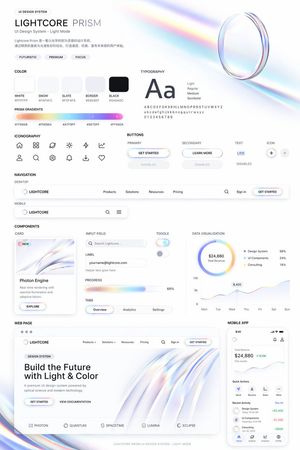
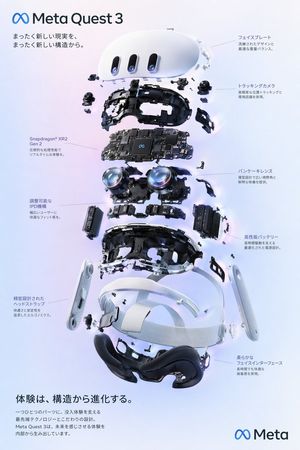
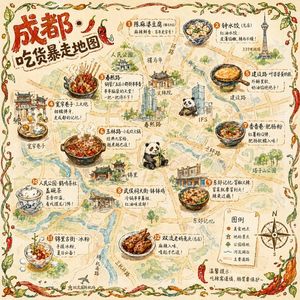
Explore visual briefs for product mockups, UI concepts, posters, maps, portraits, stickers, and brand assets. These images come from our GPT Image 2 prompt library as workflow inspiration; they are not presented as official GPT Image 2.5 benchmark results.


What is new in GPT Image 2.5?
GPT Image 2.5 focuses on the parts of image generation that matter after the first draft: recognizable subjects, controlled edits, consistent multi-turn refinement, natural detail, and shorter waits.
Sharper detail and natural texture
Create images with richer textures, more natural lighting, cleaner edges, and finer visual detail for portraits, products, campaigns, and presentation assets.
More precise image editing
Ask GPT Image 2.5 to change one product, background, color, or design element while preserving the subject, composition, and surrounding brand treatment.
Stronger reference fidelity
Keep people, products, and distinctive source details more recognizable when transforming a reference into a new setting, style, or composition.
Consistent multi-turn refinement
Continue editing across several prompts with less drift. Earlier approved changes are more likely to remain intact as the image evolves.
Faster creative iteration
OpenAI reports up to 50% lower generation latency than Images 2.0, helping teams test, compare, and refine more directions in the same working session.
Better complex layouts
Handle more demanding visual instructions, transparent backgrounds, information-rich compositions, and consistent style direction for production workflows.
Best GPT Image 2.5 use cases
The GPT Image 2.5 image generator is designed for practical creative work where detail, controlled revisions, and visual continuity matter more than a one-off novelty image.
Product photos and ecommerce
Build product scenes, clean catalog imagery, packaging concepts, and campaign variations while keeping product shape and brand direction stable.
Ads, posters, and social campaigns
Turn a structured brief into fast creative concepts, then refine only the elements that need another pass instead of rebuilding the complete design.
Portrait and character consistency
Transform a reference portrait across settings and styles while preserving recognizable identity anchors, lighting direction, and composition choices.
UI, decks, and information graphics
Prototype interface concepts, presentation visuals, transparent assets, and structured graphics that must follow a clear hierarchy.
Iterative image editing
Use follow-up instructions to replace, remove, recolor, or restyle selected details while keeping the approved parts of the image consistent.
High-volume creative exploration
Use GPT-Image-2.5 Flare for fast everyday concepts and reserve Sunburst for detail-sensitive work that benefits from tighter control.
How it works
How to use GPT Image 2.5
A reliable GPT Image 2.5 workflow starts with a clear brief, one controlled generation, and small follow-up edits.
- 1
Write a structured prompt
Define the subject, goal, composition, lighting, style, required details, and anything that must not change. Add a reference image when identity or layout matters.
- 2
Choose the right model path
Use Flare for fast, high-volume GPT Image 2.5 generation. Use Sunburst when precision and polished final detail matter more than generation time.
- 3
Refine one variable at a time
Review the first result, then change one element per prompt. Keep the subject, framing, palette, and approved areas locked whenever possible.
- 4
Export after a final rights check
Confirm that you have rights to every reference, logo, person, and product in the image before using the output commercially.
Model comparison
GPT Image 2.5 vs GPT Image 2
GPT Image 2.5 is an iteration rather than a different creative category. Its advantage is stronger control and fidelity while generating and editing.
| Capability | GPT Image 2.5 | GPT Image 2 |
|---|---|---|
| Everyday generation | Flare is optimized for faster, high-volume work | Strong general image generation baseline |
| Detailed final work | Sunburst adds tighter control for polished assets | One primary production model path |
| Reference fidelity | Better subject recognition across transformations | Useful reference-led creation and editing |
| Targeted edits | More reliably changes only the requested element | Supports generation and reference-based edits |
| Multi-turn editing | Improved consistency across repeated refinements | Earlier generation editing workflow |
| Reported latency | Up to 50% lower with Flare versus Images 2.0 | Baseline used for the official comparison |
Free and unlimited, explained
Is GPT Image 2.5 free and unlimited?
One free generation daily
If you searched for a GPT Image 2.5 free unlimited image generator, the important distinction is between unlimited creative exploration and unlimited processing. CDance AI lets a free account make one image or video generation per day, so you can test the workflow without paying first.
Paid memberships and credit packs support more generations, private results, watermark-free exports, commercial rights, and priority processing according to the selected plan. They do not promise unlimited GPT Image 2.5 generations. The exact credit cost and available model are shown before generation.
That means the honest offer is simple: start the GPT Image 2.5 workflow free, keep as many ideas as you want, and choose a plan when you need more production capacity. Fair-use, safety, model availability, and plan limits still apply.
GPT Image 2.5 pricing and free access
Cancel anytime • Unused credits roll over
Secure payment methods
Payments are encrypted and securely processed. First-time buyers can submit a refund request in one click.
* Alipay and WeChat Pay are available for eligible CNY one-time purchases.
GPT Image 2.5 FAQ
Straight answers about GPT Image 2.5 free access, unlimited generation claims, Flare, Sunburst, editing, speed, and commercial workflows.
What is GPT Image 2.5?+
GPT Image 2.5 is OpenAI’s newer image generation and editing family. It includes GPT-Image-2.5 Flare for fast everyday creation and GPT-Image-2.5 Sunburst for precision-focused creative work.
Can I use GPT Image 2.5 for free?+
You can start free in CDance AI with one image or video generation per day. The live selector currently opens GPT Image 2 while provider access for GPT Image 2.5 is validated; 2.5 will be labeled only when it is actually available.
Is this a GPT Image 2.5 free unlimited image generator?+
It is free to start, but generation is not unlimited. Free accounts receive one generation per day, while paid usage follows plan credits, current model availability, safety controls, and fair-use rules. “Unlimited” describes creative possibilities, not unlimited compute.
What is the difference between GPT-Image-2.5 Flare and Sunburst?+
Flare is the default choice for fast, high-volume image generation and editing. Sunburst is intended for premium creative workflows that benefit from more precision and can accept longer generation times.
Is GPT Image 2.5 faster than GPT Image 2?+
OpenAI reports that GPT-Image-2.5 Flare can reduce generation latency by up to 50% compared with Images 2.0. Actual waiting time can still vary by prompt, settings, queue, and provider.
Can GPT Image 2.5 edit an existing image?+
Yes. It is designed for reference-based and targeted editing, including changing a product, background, color, composition detail, or piece of copy while preserving more of the original image.
Does GPT Image 2.5 stay consistent across multiple edits?+
OpenAI says it follows editing instructions more reliably across multiple turns, helping earlier approved changes, subjects, and composition details remain consistent during refinement.
Can I use GPT Image 2.5 images commercially?+
Commercial use depends on your plan and the rights attached to your source material. You remain responsible for reference images, logos, likenesses, trademarks, and compliance with applicable policies and laws.
Start your GPT Image 2.5 workflow free
Open the current GPT image workspace, test a structured prompt, and check the live model selector before generation. One free daily generation is available; plan limits apply.