

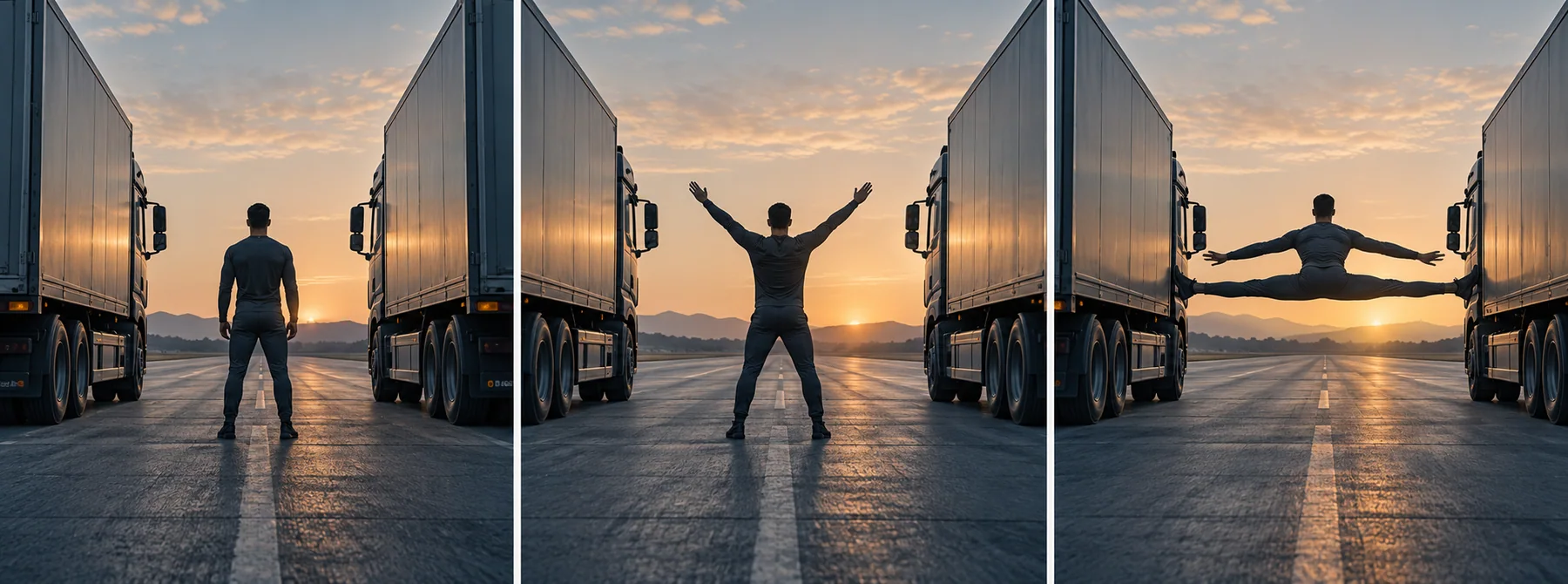
An Epic Split AI video is a generated or image-animated scene built around a dramatic split pose. The phrase can mean two different visuals: a symmetrical, truck-inspired tableau that recalls Volvo Trucks' 2013 film, or a vertical jump that freezes at the split point. It does not identify one standardized AI model or official one-click generator.
The useful starting point is the frame, not a stack of cinematic adjectives. Decide which version you mean, approve a clear still image, describe one action and one camera path, then judge the output against a short continuity checklist. This guide includes five prompts, a reference workflow, timing examples, and targeted repairs.
To test a reference-led version, open Seedance 2.5 image-to-video in the C Dance AI Workspace. If you need to compare available modes first, visit the Seedance 2.5 page. The related first-and-last-frame prompt guide explains when a chosen final pose deserves its own frame.
What does Epic Split AI mean?
The best-known reference is Volvo Trucks' 2013 film, The Epic Split. Volvo described the film as a demonstration of the stability and precision of Volvo Dynamic Steering. Its visual idea is a centered split between two trucks, held in a clean, slowly changing composition. An AI prompt borrows that visual grammar; it does not reproduce the original production or its performer.
A second prompt interpretation uses one source photo to create a run-up, jump, and suspended split in an invented location. Some current AI template pages use this kind of photo-to-video setup. Neither interpretation is a single official model feature called “Epic Split AI.” Treat the phrase as a creative brief and state what you want the generator to show.
That distinction changes the workflow:
- Two-platform tableau: composition and symmetry carry the scene. A generated still is often the best way to settle the spacing before animation.
- Midair split: pose and timing carry the scene. A full-body reference and a clear takeoff-to-hold arc matter more than a complex location.
- A hybrid: a person in a dramatic split with two architectural forms, rails, floating platforms, or other fictional visual anchors. Keep the visual metaphor simple.
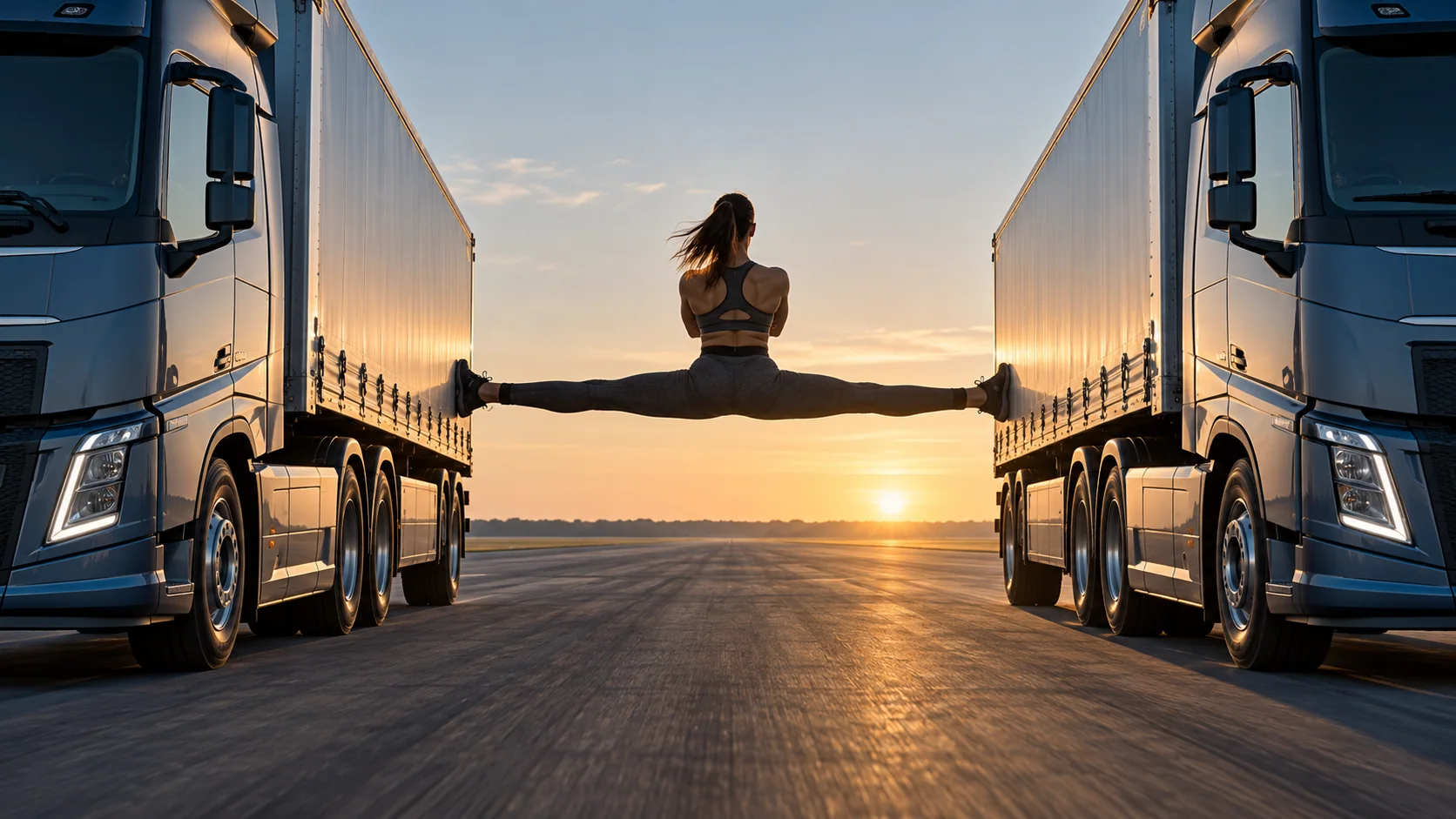
This is synthetic concept art for planning a frame. It is not footage of a real stunt or a claim about a particular model's output.
Pick the scene before picking the model
Before opening a generator, write a one-line brief that answers three questions: what is splitting, what remains still, and what changes during the shot? If the brief cannot answer those questions, the model will have to invent the missing action.
| Visual brief | Strong starting input | Main continuity risk | Useful first test |
|---|---|---|---|
| Symmetrical two-platform tableau | Wide composition with the center subject already placed | One side shifts, scales differently, or loses symmetry | Slow camera pull-back with the platforms fixed |
| Midair split from a photo | Full-body reference with room around the limbs | Face, clothing, or leg shape changes during the jump | Short jump arc with a brief hold at the top |
| Surreal floating-platform scene | Wide environmental keyframe and a small subject | The background transforms while the body moves | Subtle platform drift and a locked camera |
| Multi-shot mini-story | A separate anchor image for each shot | Subject identity changes between cuts | Generate and review each shot separately |
A long “do everything” prompt is usually a poor first experiment. If the image already has the right person and framing, keep those fixed and ask for motion. If the scene itself is still undecided, build the still image first. The AI video character-consistency workflow gives a deeper identity-pack method for sequences that need the same person across several shots.
If you want the split to feel more fantastical than mechanical, change the setting instead of adding more truck detail. Two floating platforms, a cloud horizon, and a held silhouette keep the same visual idea while making the scene unmistakably imaginary.
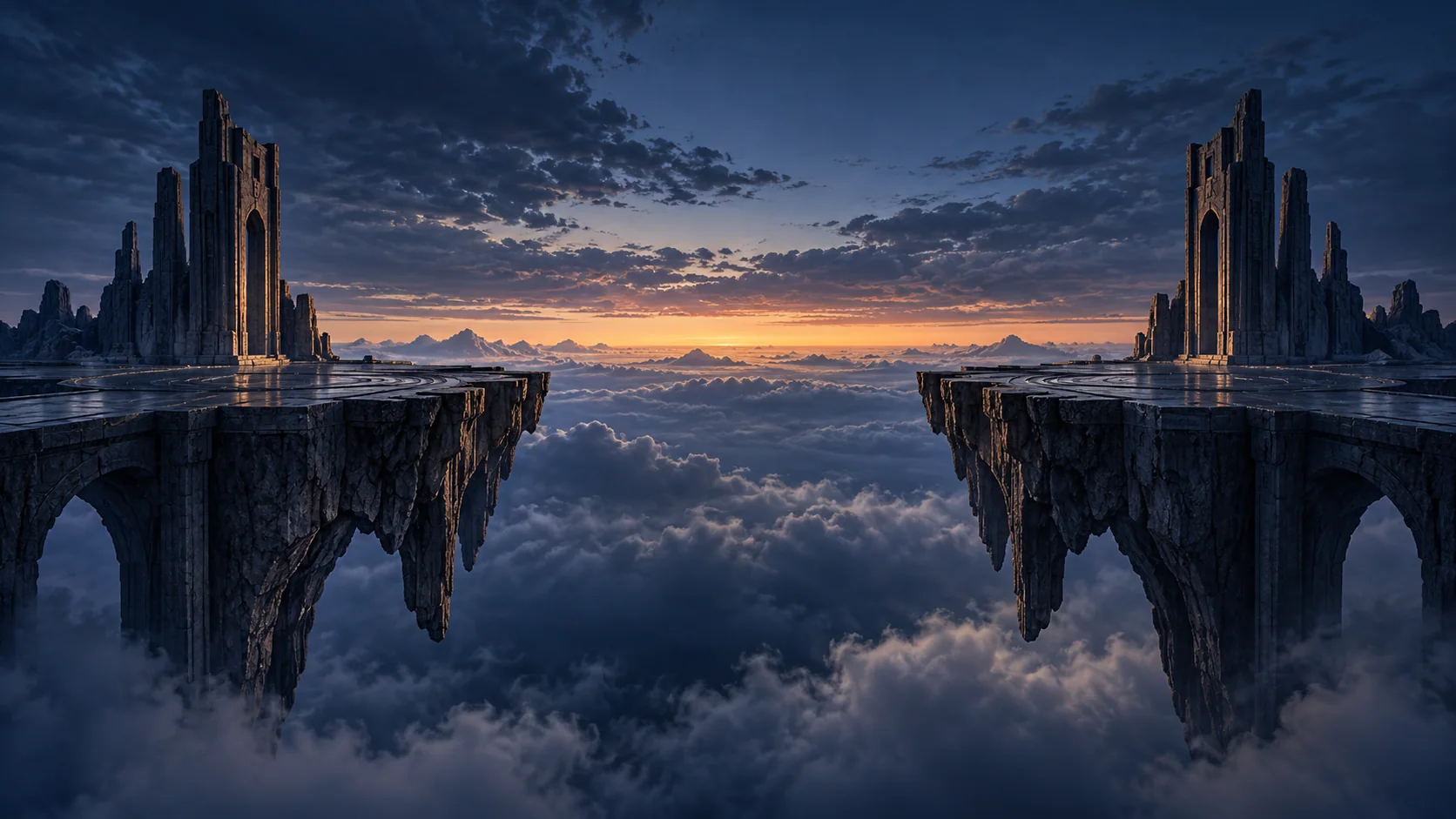
An alternate fictional setting can carry the split silhouette without copying a branded vehicle scene.
Plan the opening frame like a poster
The split is a silhouette problem before it is a motion problem. At thumbnail size, a viewer should recognize the pose, the negative space between the subject and the surroundings, and the center line of the composition. A low contrast between legs and background can erase the defining shape even if the prompt says “perfect split.”
Decide these visible details before animation:
- Subject scale: keep the full body large enough to inspect. A tiny figure in an extreme wide shot makes face and limb continuity harder to judge.
- Center line: place the subject on a clear vertical axis for a symmetrical tableau. For a jump scene, leave headroom above the launch arc and room beneath the landing.
- Contact or suspension: say whether the scene is an obvious digital illusion, a stylized floating pose, or a supported compositing effect. Do not imply that a real person should copy a vehicle stunt.
- Background motion: choose one environmental change, such as a light sweep or slow cloud drift. Keep signs, logos, and moving traffic out of the test frame.
- Ending state: decide whether the clip ends on a held pose, a landing, a camera reveal, or a cut. “Keep going dramatically” is not an ending.
The image below uses a deliberately simple overhead layout. It makes the center subject, empty space, and camera position easy to evaluate before writing a more polished prompt.
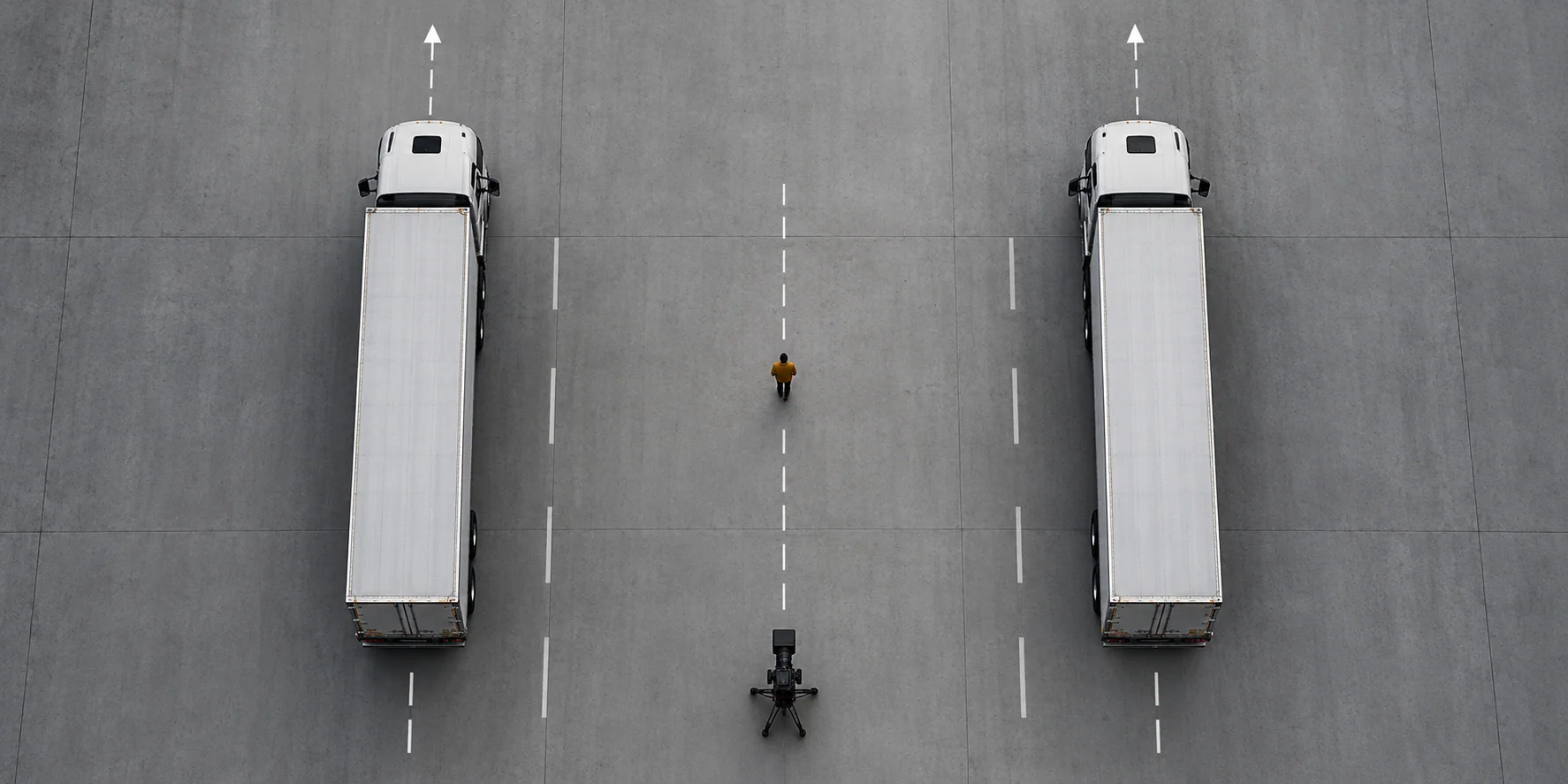
Use a layout sketch to check spacing and camera intent. Motion arrows are planning marks, not instructions for staging a real-world stunt.
Build an identity pack before asking for motion
A single selfie may define a face, but it does not reliably define full-body proportions, clothing from the side, or what the pose looks like from behind. For a recognizable person, start with a small set of owned or authorized images: front, three-quarter, profile, and full body. If the clip is a fictional character, create those references for the fictional design.
Use one plain identity note that can be reused without drifting:
Identity: one fictional adult performer with shoulder-length dark hair, a charcoal athletic outfit, and a small amber wristband.
Preserve: face shape, hairstyle, outfit colors, body proportions, and the wristband.
Reference roles: front image for face; profile image for head shape; full-body image for proportions and clothing.
Do not copy: text, logos, background objects, or pose details that are not part of the identity.
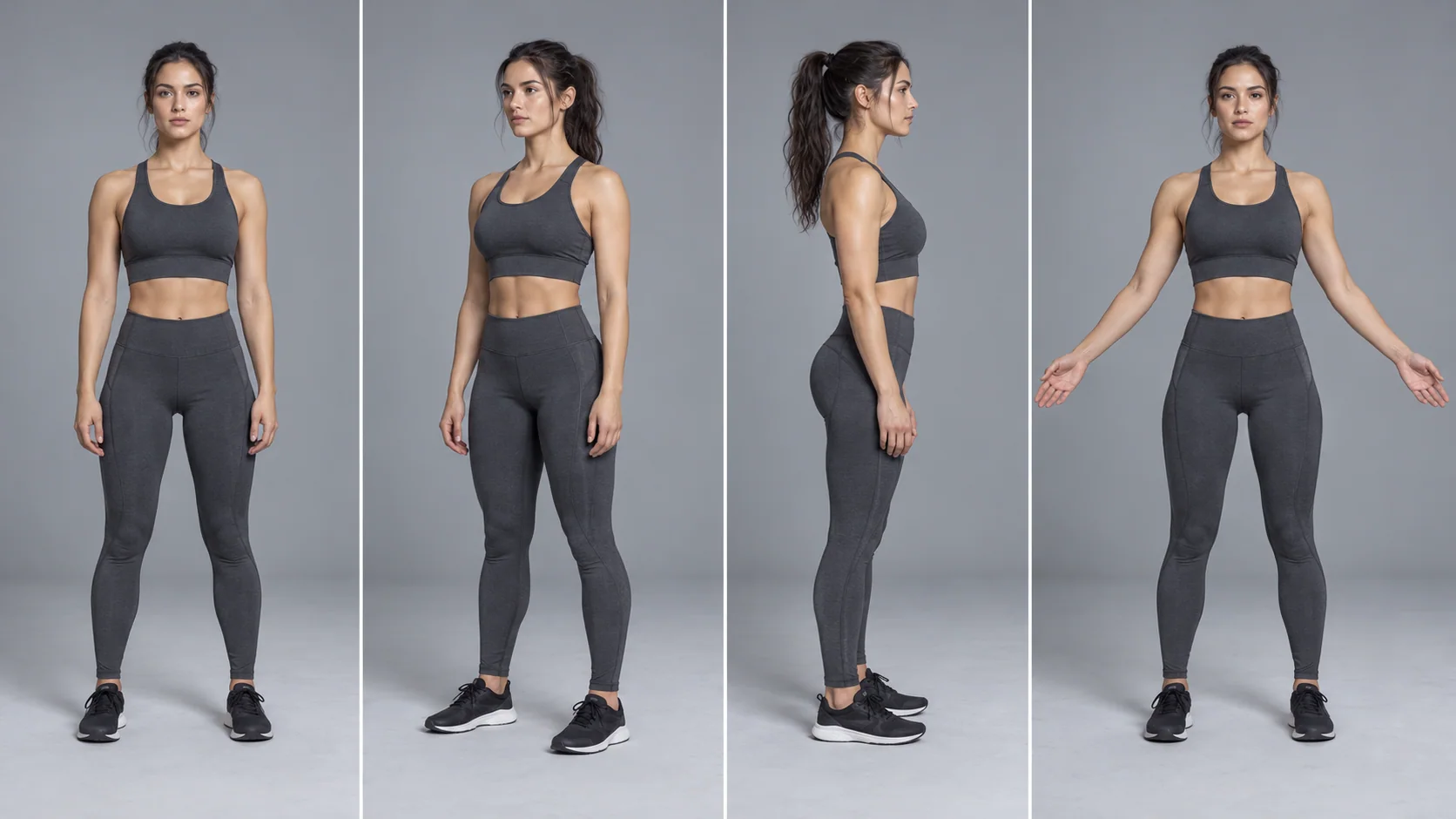
The reference sheet is an original planning illustration, not a real person's likeness. Review the angles side by side before moving on. If the profile or full-body panel changes the outfit or proportions, fix the still image before sending it into video generation. For more detail on this step, use the character consistency guide.
Use a prompt structure that separates jobs
A useful AI split video prompt identifies the reference roles, the brief, the timeline, and the constraints. Keeping those pieces separate makes a failure easier to diagnose: a face problem belongs in the identity block, while a wandering camera belongs in the camera line.
Reference map: Image 1 defines the fictional performer. Image 2 defines the environment only.
Brief: an obviously synthetic cinematic split tableau on a dark studio stage at blue hour.
0-2 seconds: establish a centered, full-body composition; the performer holds a stable starting pose.
2-5 seconds: the performer rises into a stylized split pose as two light panels slide apart behind them.
5-8 seconds: the camera makes one slow pull-back and holds the final silhouette for one second.
Preserve: face, hair, outfit, number of limbs, center line, and left-right symmetry.
Sound: soft room tone only. No dialogue, logos, captions, or recognizable music.
A supported prompt guide for Seedance 2.5 describes a similar planning approach: assign roles to references, give the brief, order the timeline, and put global constraints in one place. The exact controls vary by platform and mode. Use the preselected Seedance 2.5 Workspace for an image-led test and keep the source frame, duration, and aspect ratio fixed while comparing prompt changes.
Five copy-ready Epic Split AI prompts
These prompts are starting points, not guarantees. Each one keeps the action count low so you can see whether the source image, motion, camera, or ending caused the result to change.
1. Create a reference still
Use this before video generation when you have not settled the composition:
Create an original, clearly fictional, cinematic concept frame for an AI split video.
Subject: one adult fictional performer, full body and centered, wearing a simple dark outfit.
Setting: a clean blue-hour soundstage with two large, unbranded geometric platforms placed symmetrically in the background.
Pose: a controlled, stylized split silhouette with visible space around the head, arms, and legs.
Camera: locked, eye-level, wide enough to show the full pose and both platforms.
Lighting: one warm rim light, cool blue fill, subtle floor reflections.
Style: polished digital set design, not documentary footage.
Keep the composition balanced and readable. No logos, text, famous people, moving vehicles, or real-stunt cues.
2. Animate the two-platform tableau
Start with an approved keyframe. This prompt keeps the platforms still, which isolates the camera move:
Animate the supplied first frame as an obviously synthetic digital scene. Keep the fictional adult performer, outfit, pose, two unbranded platforms, lighting direction, and center line unchanged.
0-2 seconds: hold the composition with only subtle fabric movement and ambient light.
2-5 seconds: make one slow camera pull-back along the center axis; the platforms remain stationary.
5-7 seconds: settle and hold the final symmetrical frame.
Preserve facial identity and body proportions. No cut, no extra person, no platform movement, no logos, no subtitles, and no real-world stunt instructions.
If the first result shifts the platforms, do not also change the subject pose. Keep the source image and prompt fixed, then reduce the camera movement. This one-variable comparison shows whether the drift came from camera motion or from the keyframe.
3. Make a vertical midair split
Choose a full-body source image with clear space above and below the subject. This version is an explicitly fictional animation:
Create a vertical 9:16, clearly computer-generated short scene using the supplied full-body reference for one fictional adult performer only.
0-2 seconds: the performer takes one short step into a stylized, weightless jump inside a surreal blue-hour plaza.
2-4 seconds: the performer reaches a clean, readable split silhouette at the top of the arc; hold the pose briefly.
4-7 seconds: the performer descends onto a broad glowing platform and settles into a balanced standing pose.
Camera: locked medium-wide view, no orbit or zoom.
Preserve face, hair, outfit, proportions, and limb count. No real fall, no physical stunt guidance, no traffic, no logos, no text.
The wording names an opening, peak, and finish. If you only want the held split, remove the landing beat rather than adding another camera move. Shorter action is often easier to review.
4. Plan three beats before generating
Use this as a storyboard note or as a compact timeline for a model that accepts timed instructions:
Beat 1, establish: symmetrical wide shot, one fictional performer centered between two stationary light structures.
Beat 2, reveal: the performer raises both arms into a stylized split silhouette while the camera stays locked.
Beat 3, resolve: a slow push-out reveals a surreal floating platform; hold the final image for one second.
Keep the same outfit, body proportions, horizon, and center axis through all three beats.
One continuous digital scene. No cuts, logos, extra characters, moving vehicles, or documentary-style stunt framing.
The panels are an original storyboard illustration. They show shot order, not proof that a specific model will reproduce the frames. If the generator changes the scene at the beat boundary, separate the beats into distinct clips and use a reviewed anchor image for each one.
5. Connect chosen first and last frames
Use this prompt when a specific opening and final composition matter more than free-form motion:
Use the supplied first frame as the exact opening composition and the supplied last frame as the destination.
Connect them with one slow, readable motion: the fictional performer rises slightly into a held split pose while the camera remains on the center axis.
Preserve face, hair, wardrobe, body proportions, lighting direction, and the position of both platforms.
The transition is a continuous stylized digital shot, with no cut and no new location.
End by settling into the supplied final frame and hold it for the last second.
No extra actions, no added people, no logos, no subtitles, and no real stunt instructions.
If the two frames disagree about camera angle, lighting, or body proportions, the model has to solve several changes at once. Make the source frames more alike before asking it to bridge them. The first-and-last-frame guide has a fuller method for separating fixed details from allowed changes.
Turn a storyboard into one controlled timeline
A split effect needs a clear peak. Give the viewer enough time to understand the setup, see the motion, and read the final pose. For an eight-second draft, a practical structure is two seconds to establish, three seconds for the main movement, and three seconds for the hold or exit. This is an editorial starting point, not a universal model setting.
The three-panel board below is a planning aid. A seven-second motion-board animatic assembled from the illustration is included for timing reference. It is an editorial mock-up made from still artwork, not a generated video result or a real stunt.
The animatic demonstrates the sequence of frames. It does not show model-generated motion.
If a model or host exposes duration controls, read that interface before selecting a length. Runway's current Seedance 2.5 guide, for example, documents settings for its own surface and distinguishes reference, keyframe, edit, and extend modes. Those details are not a promise that C Dance AI or every other host exposes identical controls. In C Dance AI, begin with the Seedance 2.5 model route and verify the controls visible in the selected Workspace.
A recent r/generativeAI discussion about longer AI videos includes individual creators describing a practical pattern: plan shots, generate short pieces, then assemble them in an editor. One Reddit thread is not a measure of creator consensus, but the observation fits this brief. Make one clean split shot first. Add a second shot only when the first has a stable ending frame you can reuse.
Choose a camera move that protects the silhouette
Camera language changes the viewer's understanding of the pose. A locked camera makes symmetry easier to compare. A slow pull-back can reveal the whole composition. A fast orbit exposes surfaces and limb angles that the source frame may not define. Start with one move and add another only after the first version works.
Use a camera line with four parts:
Camera start: centered medium-wide view at performer height.
Move: one slow pull-back along the center axis.
Speed: even, with no acceleration or camera shake.
End: balanced wide frame; hold the split silhouette in the center.
Do not combine “orbit, crane, zoom, handheld, and dolly” in the first pass. Those words describe competing paths. For more examples that separate camera movement from framing and angle, read AI video camera movement prompts.
Diagnose the failure before rewriting the whole prompt
When a generation misses, name the first visible failure and change only the instruction that controls it.
| What you see | Likely cause | Targeted repair |
|---|---|---|
| The face changes at takeoff | The face is small, turned away, or changing quickly | Shorten the jump, keep the face larger, or use a clearer full-body anchor |
| Legs merge into the background | Low contrast or a busy background hides the silhouette | Increase background contrast and reduce reflections around the legs |
| Platforms lose symmetry | The prompt asks for both platform motion and camera motion | Freeze the platforms and test one camera path |
| The subject changes clothes | Identity and action are mixed into a dense paragraph | Move face, hair, and wardrobe into a short preservation block |
| The split never reaches a clear peak | The timeline has no hold or endpoint | Name the peak beat and reserve a final second for the pose |
| The camera moves in the wrong direction | “Cinematic” replaces a physical path | State the start position, direction, speed, and end frame |
| The result looks like documentary stunt footage | The prompt overemphasizes real trucks or a famous advertisement | Recast the scene as a surreal digital set with original props and a fictional subject |
| The clip feels overloaded | Too many actions happen in the same seconds | Remove secondary motion, rerun, and reintroduce only what the shot needs |
Treat this as a workflow choice, not a performance guarantee: split a sequence when the output repeatedly loses identity or geometry between beats.
Review the output with a five-point checklist
Use the same checklist after each generation. Give each dimension a pass or fix note; do not rate the clip only by how cinematic it feels.
- Identity: does the face, hair, clothing, and body shape match the approved source?
- Pose: is the split readable, with limbs separated from the background and no extra or fused parts?
- Geometry: are the center line, platforms, horizon, and spacing stable?
- Camera: does the actual path match the requested start, direction, speed, and ending?
- Finish: does the clip hold the peak long enough to read, and does the ending feel intentional?
If identity and pose pass but the background drifts, keep the subject prompt and reduce environmental motion. If the movement is right but the last frame is weak, preserve the source and change only the ending hold. Save the model, mode, duration, aspect ratio, reference images, and prompt beside each test. That small record makes the next iteration comparable.
Keep the scene fictional and label it clearly
The original Volvo film was a real commercial performance with a specific actor and branded vehicles. A generated reinterpretation should use an original fictional subject and props rather than implying that a real person performed a dangerous stunt. Do not recreate the scene with actual moving vehicles or try to copy the physical action.
Keep the disclosure close to the media when the clip could be mistaken for footage. Useful wording includes “AI-generated concept scene,” “fictional digital set,” or “editorial storyboard animatic.” Avoid claims such as “real stunt,” “behind-the-scenes,” or “official recreation” unless they are literally true and authorized.
The five illustrations in this article are original generated planning assets. The body video is an animatic built from the storyboard image. Neither the images nor the video show output from a Seedance generation.
Start with one test, then make the next decision
For the truck-inspired composition, begin with a static, brand-free frame and keep the props still while you test a single camera move. For the vertical jump, use a full-body reference and make the peak pose the main event. In both cases, keep the scene obviously fictional and judge the result with the same five-point checklist.
Open the Seedance 2.5 image-to-video Workspace to animate an approved source frame. For a different starting point, open C Dance AI, compare the Seedance 2.5 model page, and explore how to keep a character consistent across AI video shots.
Epic Split AI FAQ
Is Epic Split AI one specific AI tool?
The phrase does not name one standardized generator in the sources reviewed. It is clearer to treat it as a visual brief, then name the model, mode, reference image, and shot you actually want.
Can I make an Epic Split AI video from a photo?
Many image-to-video workflows animate a source frame, but the available controls differ by model and host. Use a full-body, well-lit image with space around the limbs, then ask for a short and clearly timed action.
Should I use text-to-video or image-to-video?
Use text-to-video to explore scene ideas when the composition can change. Use image-to-video when you already have an approved person, outfit, pose, or background and want that first frame to anchor motion.
How do I keep the same person in every shot?
Build a compact reference sheet and make one approved anchor image for each camera angle. Repeat the same concise identity block and review the face, hair, outfit, proportions, and signature details before connecting clips.
Why do AI split videos distort the pose?
A split exposes long limbs against a changing background. Fast body rotation, occlusion, low contrast, and a busy camera path can make the body shape ambiguous. Keep the subject large, simplify the action, and isolate one motion variable per retry.
What aspect ratio should I choose?
Choose a vertical ratio such as 9:16 when the final clip is designed for a phone feed. Choose 16:9 for a wide, symmetrical tableau. In either format, leave enough room to see the full body and inspect the peak pose.
Is it safe to recreate the two-truck split?
Do not attempt a physical version. Treat the idea as fictional digital imagery, use original props and characters, and avoid real vehicles or instructions that could be read as stunt guidance.
A clear brief, an approved source frame, one main movement, and a deliberate ending give an Epic Split AI video a better chance of staying readable. The result is still a model generation: inspect it, simplify what drifts, and label fictional imagery honestly.