

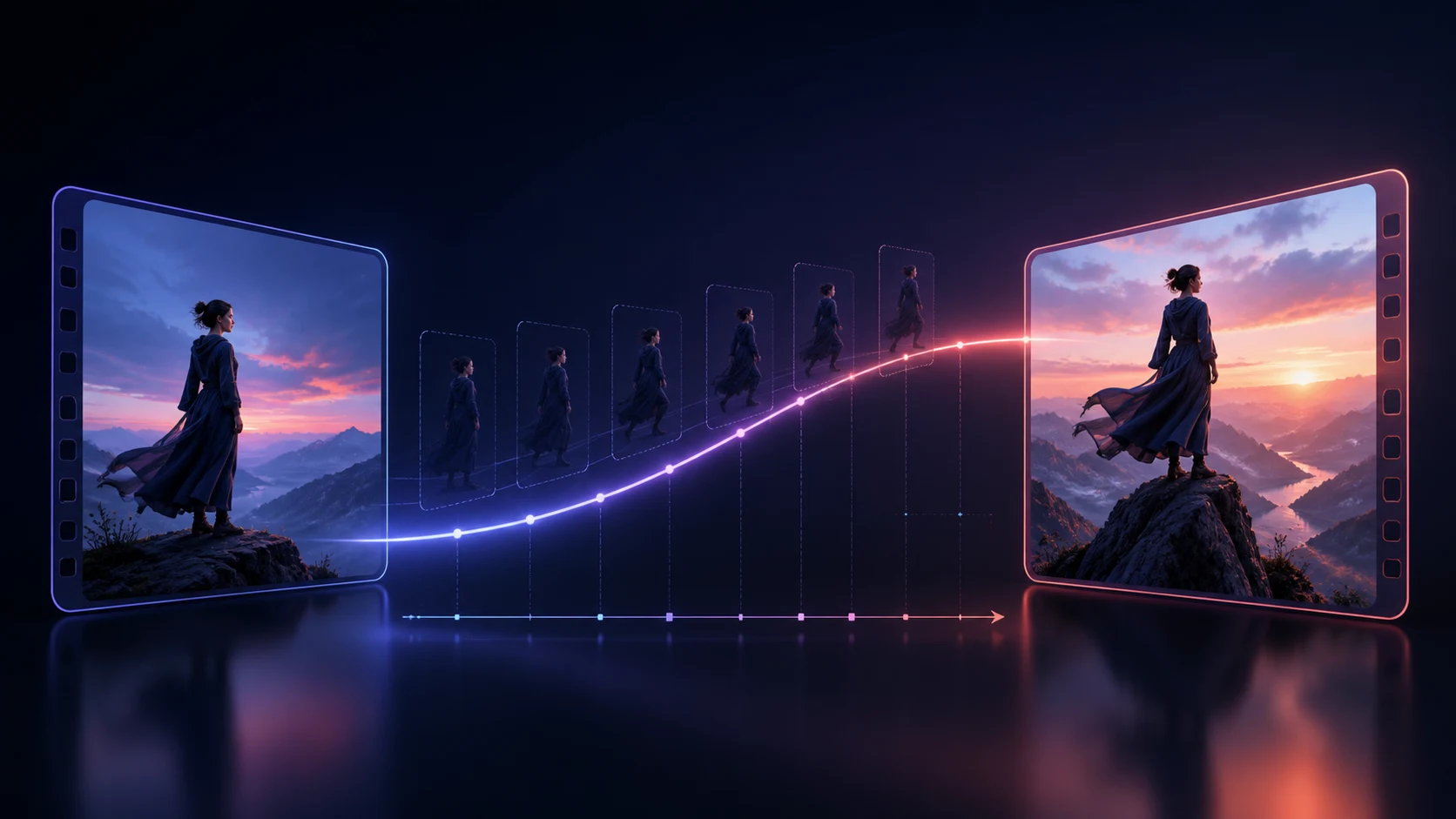
An AI video first-and-last-frame prompt should explain the motion between two images, not merely describe the images. The first frame is the departure constraint. The last frame is the destination constraint. Your prompt supplies the missing route: what begins moving, how it changes through the middle, what the camera does, and which details cannot drift.
The most reliable workflow is to make the endpoints compatible before generation, write one continuous motion path, lock a small set of invariants, and test the shortest useful clip. This reduces the familiar failures: a video that barely leaves the opening image, an attractive middle that forgets the subject, or a final second that rushes into a distorted approximation of the target.
You can follow the workflow while using C Dance AI. Open the Workspace with Seedance 2.5 selected for an image-led test, or read the multi-shot storyboard guide if the idea needs several intentional cuts rather than one continuous transition.
Review the Seedance 2.5 model page before testing if you need a concise overview of its current reference and generation options.
The quick answer: write the route, not two captions
Treat the two images as fixed keyframes in a short piece of direction. Your first draft only needs five parts:
- Subject anchor: the person, product, vehicle, or object that must remain recognizable.
- Starting action: the motion that begins within the opening beat.
- Continuous path: the physical or visual change that connects the endpoints.
- Camera rule: one stable move or a deliberately fixed camera.
- Arrival rule: how the motion slows and resolves into the last image.
A useful compact prompt looks like this:
The same red commuter bicycle rolls forward from the exact opening position. The wheels begin turning immediately and the rider follows one smooth curved path across the wet plaza. Keep the frame at eye level with one slow rightward tracking move. Preserve the bicycle frame, rider clothing, evening light direction, and realistic proportions. During the final second, reduce speed and settle naturally into the supplied last-frame position without a cut, morph, or sudden camera change.
The prompt has a verb, a path, a camera rule, four continuity locks, and a landing instruction. It does not repeat every color and object visible in the two images. Those repetitions consume attention without resolving the uncertain part: the transition.
Start by checking whether the endpoints are compatible
Prompt wording cannot fully repair a pair of images that imply contradictory worlds. Before you generate, compare the frames as if you were matching two shots in an edit.
Check the following:
| Check | Easier pairing | Risky pairing |
|---|---|---|
| Aspect ratio | Same crop and orientation | Portrait opening, wide ending |
| Subject identity | Same face, clothing, product details | Different age, outfit, logo, material |
| Subject scale | Similar screen size | Close-up to tiny distant figure |
| Scene geometry | Recognizable shared layout | Walls, horizon, or furniture move arbitrarily |
| Lighting | Compatible direction and color | Noon sunlight to unrelated studio light |
| Camera language | One plausible move | Lens, height, angle, and roll all change |
| Motion distance | Reachable in the duration | Several actions and a new location at once |
The frames do not have to match perfectly. A useful transition needs a meaningful difference. The goal is to remove accidental differences so the model can spend its capacity on the intended change.
If the last image has a better composition but different lighting, edit the light first. If the subject occupies opposite sides of the frame, decide whether the motion should cross the scene or whether the camera should reframe. If neither path is believable, create an intermediate endpoint and generate two clips.
Build a small endpoint brief before writing the prompt
Write down the facts that matter instead of improvising a long paragraph. This brief becomes your comparison sheet for every test.
Subject: one matte-silver perfume bottle with a narrow black cap
Start: bottle centered on a dark stone surface, cap closed
End: same bottle one-third left, cap lifted, fine mist visible to the right
Must remain: label geometry, glass shape, surface texture, warm rim light
Allowed to change: cap position, mist, camera distance by no more than a gentle push
Camera: low product angle, slow push in, no orbit
Arrival: hold the open-bottle composition for the final beat
This is not the public prompt yet. It is a decision record. It exposes conflicts early. For example, an orbit would show a different side of the bottle while the last frame still presents the front label. The brief makes that disagreement obvious before you pay for a generation.
Keep “must remain” short. Locking every pixel creates an instruction that fights the requested motion. Identity, product geometry, clothing, scene layout, and light direction are usually more important than secondary reflections or loose hair.
Choose the right mode before judging the prompt
Do not compare a text-to-video result with an endpoint-controlled image-to-video result and conclude that the wording failed. The input mode changes the task.
- Use first-frame image-to-video when the opening appearance matters but the destination can emerge naturally.
- Use first-and-last-frame generation when a particular final composition is essential.
- Use reference-led generation when identity, style, camera motion, or performance should be borrowed without forcing a literal endpoint.
- Use multi-shot generation when the idea needs a cut, a new angle, or separate story beats.
For a clean experiment, open the image-to-video Workspace with Seedance 2.5 selected, keep the model and settings fixed, and change one prompt variable per run. The Seedance 2.5 prompt guide explains how to reduce competing instructions when reference control and longer storytelling are involved.
Do not force a difficult idea into endpoint mode simply because you have two attractive images. If the connection needs a hard cut, write a shot plan. If it needs a transformation with no physical path, name the visual mechanism—folding paper, spreading ink, a practical wipe, or a controlled match dissolve—rather than asking for an unexplained “smooth transition.”
Write one motion path with three beats
The middle of the clip is where most endpoint prompts become vague. Give it a simple beginning, progression, and arrival.
[Opening beat] The dancer pushes off immediately from the supplied opening pose, keeping both feet grounded for the first step.

[Middle beat] She turns once clockwise while the loose red fabric follows with delayed, physically plausible motion. The camera makes one slow semicircle at waist height. Keep her face, costume, body proportions, floor pattern, and backlight unchanged.

[Arrival beat] She completes the turn, lowers her right arm, and decelerates into the supplied final pose. Hold the camera height and settle into the last-frame composition during the final second.
The timestamps are optional. Beat labels are often enough. Use exact timing only when it solves a real pacing problem. Too many timecodes can turn a simple transition into several competing micro-scenes.
Start motion should be visible early. “She stands and slowly considers moving” encourages a frozen opening. “She pushes off immediately” gives the generator a first action. The arrival should also have time to settle; if the main action consumes the entire duration, the model may rush or miss the last frame.
Separate invariants from allowed changes
First-and-last-frame generation asks the model to preserve and transform at the same time. Make that contract explicit.
Invariants are the details a viewer would treat as continuity errors:
- facial identity and age;
- garment silhouette and dominant colors;
- product shape, label placement, and material;
- number of subjects and their roles;
- persistent scene geometry;
- aspect ratio and basic camera height;
- light direction when no time change is intended.
Allowed changes are the reason the clip exists:
- position, pose, expression, or object state;
- camera distance or one controlled movement;
- weather or time of day when the transition is designed around it;
- a material transformation with a named mechanism;
- foreground elements used as a motivated wipe.
Do not write “everything remains exactly the same” when the last frame clearly changes the angle, pose, and lighting. That creates an impossible instruction. Name the three or four invariants that protect recognition, then describe the changes honestly.
Copy-ready prompt: product reveal
A product transition works when geometry is more important than spectacle. Use a readable action and a conservative camera move.
Begin with the exact supplied hero frame of the closed wireless-earbud case. The lid lifts in one continuous hinge motion while the case remains fixed on the stone pedestal. A soft band of light travels from left to right and reveals the earbuds without changing their shape, finish, or color. Use one slow camera push forward; no orbit and no cut. Preserve the pedestal, product proportions, seam lines, background gradient, and label-free surface. In the final second, finish opening the lid and settle precisely into the supplied last-frame composition.
If the lid melts, lock the hinge and material. If the case slides, state that its base remains fixed. If the camera invents a dramatic orbit, remove adjectives such as “dynamic” and retain one explicit push.
Copy-ready prompt: character reposition and expression
Character endpoints are sensitive because viewers notice identity drift immediately. Ask for one body action and one expression change rather than a chain of gestures.
The same woman steps from the doorway toward the window along a direct path, beginning the first step immediately. Her charcoal coat, short black hair, face, height, and natural body proportions remain unchanged. The camera tracks sideways at chest height with a stable 50 mm look and no zoom. As she reaches the final mark, she turns her head toward the light and changes from a neutral expression to a restrained smile. Slow the movement during the final beat and match the supplied last-frame pose and framing without a cut.
When the face changes, simplify the body motion first. When clothing drifts, use a cleaner reference with a readable silhouette. When the endpoint is a close-up but the opening is wide, split the move into two shots or create an intermediate image at a medium scale.
Copy-ready prompt: time shift without scene drift
A day-to-night transition can accidentally rebuild the entire location. Anchor the architecture and name the sequence of light changes.
Keep the rooftop café, furniture layout, skyline geometry, plants, and fixed camera position identical. Time advances continuously from late afternoon to blue hour: sunlight softens, window reflections cool, practical table lights switch on one after another, and the sky deepens without clouds racing unnaturally. People make only small seated movements. Do not add buildings, move tables, or change the lens. End on the supplied blue-hour frame and hold the final lighting state for the last beat.
This prompt allows illumination and small human motion but treats the set as an invariant. If the skyline morphs, reduce the time change or mask the transition with a passing foreground object.
Copy-ready prompt: motivated match transition
Two endpoints from different scenes need a visual bridge. A match transition gives the change a mechanism.
Start on the round orange streetlight in the supplied night scene. The camera moves slowly forward until the glowing circle fills most of the frame. Preserve its circular shape and centered position. At maximum scale, use the bright circle as a motivated match transition into the round orange sun in the supplied desert frame. Continue the same forward camera momentum as the new landscape becomes visible. Avoid liquid morphing, unrelated objects, extra cuts, or a change in motion direction. Settle into the last-frame horizon and hold it briefly.
The shared shape and direction carry the edit. Without them, “transition from a city to a desert” leaves the middle unconstrained and invites arbitrary morphing.
Use a four-point review instead of “looks good”
Review the result at four positions: opening, early motion, midpoint, and arrival. Record observations, not impressions.
| Review point | Question | Typical repair |
|---|---|---|
| Opening | Does meaningful motion begin? | Add an immediate verb; remove static setup language |
| Early motion | Is the path physically readable? | Simplify to one action and one direction |
| Midpoint | Are identity and geometry intact? | Strengthen a few invariants; reduce camera complexity |
| Arrival | Does the clip reach and hold the endpoint? | Shorten the action; reserve a final settling beat |
Use an experiment log:
Run 03
Kept fixed: model, duration, aspect ratio, two images, seed when available
Changed: replaced “cinematic movement” with “one slow rightward track at chest height”
Observed: identity held; camera improved; final hand position still late
Next change: end the turn earlier and reserve the final second for the hand position
This stops prompt editing from becoming random. If you change the model, duration, images, camera, and wording together, even a better result teaches you very little.
Diagnose the failure before adding more words
The clip remains stuck on the first frame
Use a clear early verb. Increase the visible difference between the endpoints if they are almost identical. Remove “still,” “calm,” and “static” language unless the camera or a secondary object supplies motion.
The midpoint turns into a morph
Name a physical mechanism or path. Reduce simultaneous changes. A person cannot change outfit, cross a room, rotate the camera, and enter a new season cleanly in one short transition.
The subject changes identity
Lock a small identity block and use endpoints made from the same source. Avoid contradictory face angles, age cues, hair length, or costume details. If a close-up is essential, generate it as a separate shot.
The camera ignores the final composition
Remove competing moves. One track, push, tilt, or fixed shot is easier to reconcile with a fixed endpoint than an orbit plus zoom plus crane. State when the move decelerates.
The ending arrives too late
Shorten the central action and write an arrival beat. “During the final second, settle into and hold the supplied last-frame composition” is more useful than adding another style adjective.
The example video above is a planning demonstration, not proof that one prompt will reproduce the same result on every model. Use it to inspect motion order, shot continuity, and whether the ending has a deliberate destination.
Know when to split the transition into two clips
Use two clips when the endpoints require more than one major event. Good reasons to split include:
- the subject moves to a different location and changes appearance;
- the camera must travel from a wide view into an extreme close-up;
- a product transforms and then performs a separate action;
- the transition requires an intentional cut;
- the first attempt preserves identity but cannot reach the final geometry;
- the duration is too short for a readable path and arrival.
Create a middle image that shares properties with both sides. Generate A to B, then B to C. The extra step costs another generation, but it gives each clip a solvable job and creates an editing point you control.
For sequences with several beats, use the Seedance 2.0 multi-shot storyboard workflow. For model-specific reference planning and longer clips, use the Seedance 2.5 prompt guide. Endpoint control and multi-shot direction are related, but they should not be collapsed into one overloaded prompt.
A practical checklist before you generate
Before spending credits, confirm:
- both images use the same aspect ratio;
- the subject is recognizably the same;
- the intended change is reachable in the duration;
- the prompt begins with a visible action;
- one continuous path connects the images;
- only one primary camera move is requested;
- three to five invariants protect continuity;
- the arrival has time to slow and hold;
- the selected mode actually supports the inputs you are testing;
- the next revision will change only one meaningful variable.
Then open C Dance AI, launch the image-to-video Workspace with Seedance 2.5 selected, and run the smallest version of the transition. Save the endpoint pair, settings, prompt, and observed failure. A good first-and-last-frame workflow is less about discovering a magic sentence and more about making each test explain the next one.
When the endpoints contain the same person, check both images against the AI video character consistency workflow before asking the model to connect them.
If the transition depends on a pan, dolly, orbit, or tracking path, use the AI video camera movement prompt guide to separate movement from angle, framing, and lens choice.