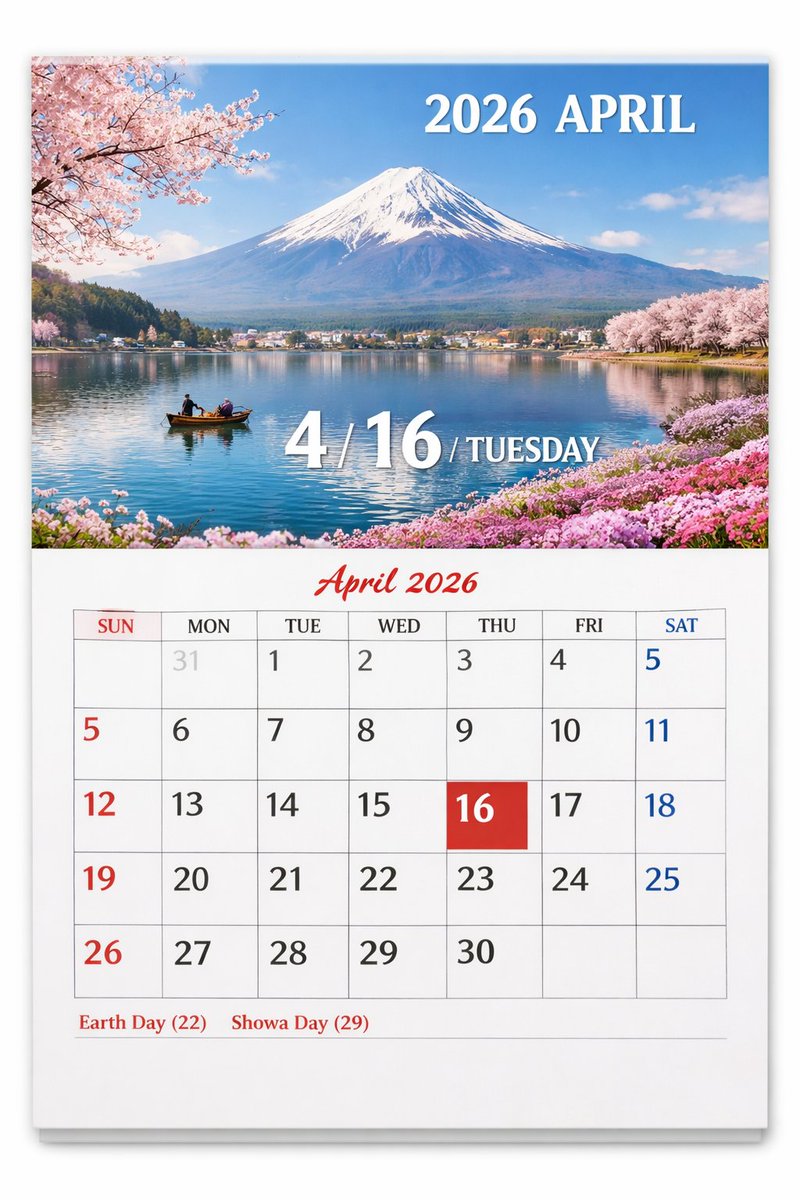
GPT Image 2 AI image example generated with this reusable CDance AI prompt: Generates a realistic wall calendar page featuring a customizable scenic photograph on top and a detailed monthly grid below.
Scenic Wall Calendar Page
Generates a realistic wall calendar page featuring a customizable scenic photograph on top and a detailed monthly grid below.
BY @上官 Devin
Prompt
{
  "type": "wall calendar page",
  "presentation": "physical paper calendar hanging on a white wall with a subtle drop shadow",
  "layout": {
    "top_half": {
      "type": "scenic photograph",
      "subject": "{argument name=\"scenic location\" default=\"Mount Fuji with cherry blossoms and a lake\"}",
      "details": "snow-capped mountain, calm blue lake reflection, small wooden boat with two people, pink cherry blossoms framing the top left and right shores, pink flowers on the bottom right shore",
      "text_overlays": [
        {
          "position": "top right",
          "text": "{argument name=\"year and month\" default=\"2026 APRIL\"}",
          "style": "white serif font"
        },
        {
          "position": "bottom center",
          "text": "4 / {argument name=\"highlighted date\" default=\"16\"} / {argument name=\"day of week\" default=\"TUESDAY\"}",
          "style": "large white serif font with drop shadow"
        }
      ]
    },
    "bottom_half": {
      "type": "calendar grid",
      "header": {
        "text": "April 2026",
        "style": "red cursive script font, centered"
      },
      "grid_structure": {
        "columns": 7,
        "rows": 5,
        "column_headers": ["SUN", "MON", "TUE", "WED", "THU", "FRI", "SAT"]
      },
      "grid_content": {
        "highlighted_cell": {
          "date": "{argument name=\"highlighted date\" default=\"16\"}",
          "style": "solid red square background, white text"
        },
        "number_colors": "Sundays in red, Saturdays in blue, weekdays in black, previous month dates in light gray",
        "notable_features": "AI generation artifact where the number 5 appears twice (end of row 1, start of row 2)"
      },
      "footer": {
        "text": "{argument name=\"holidays\" default=\"Earth Day (22) Showa Day (29)\"}",
        "position": "bottom left",
        "style": "red serif font"
      }
    }
  }
}
Related GPT Image 2 Prompts
VR Headset Exploded View Poster
Generates a high-tech exploded view diagram of a VR headset with detailed component callouts and promotional text.
Illustrated City Food Map
Generates a hand-drawn, watercolor-style tourist map featuring numbered local food specialties, landmarks, and a legend.
Momotaro Explainer Slide in Hybrid Style
A prompt that combines the simple, warm aesthetic of Irasutoya illustrations with the high-information density characteristic of Japanese government slides.
E-commerce Live Stream UI Mockup
Generates a realistic social media live stream interface overlaying a portrait, featuring customizable chat messages, gift popups, and a product purchase card.
Anime Martial Arts Battle Illustration
Generates a dynamic, high-impact anime illustration of two female characters fighting in a traditional dojo with elemental energy effects.
3D Stone Staircase Evolution Infographic
Transforms a flat evolutionary timeline into a realistic 3D stone staircase infographic with detailed organism renders and structured side panels.